Why Safety Apps Matter More Than Ever in 2026
Workplace incidents cost North American businesses over $170 billion per year. Safety apps have gone from nice-to-have digital tools to operational necessities for construction firms, industrial operations and any company with field workers exposed to physical hazards. A good safety app replaces paper forms, automates compliance tracking, delivers toolbox talks to crews in the field and creates a documented trail that protects your business during audits and after incidents.
But with dozens of options on the market, finding the right fit is overwhelming. Some apps advertise themselves as free but lock critical features behind paywalls. Others are genuinely useful at no cost but only cover a narrow slice of what a complete safety program requires. We tested seven of the most popular safety apps to help you cut through the noise.
What We Tested and How We Evaluated
We evaluated each app across six categories that matter most to safety managers and operations teams running real programs:
Free Download: 5 Safe Work Procedures
Choose from 112 professionally written SWPs. No credit card required.
Get Free SWPs- User interface and mobile experience: Is the app intuitive for field workers who are not tech-savvy? Does it work well on phone screens with gloves on?
- Offline capability: Can workers complete forms, inspections and incident reports without cell service? This is non-negotiable for remote job sites.
- Pricing transparency: What do you actually get for free, and what is the real cost once your team outgrows the free tier?
- Feature depth: Does the app cover toolbox talks, inspections, incident reporting and compliance dashboards, or only one or two of these?
- Real-world usability: We had actual safety coordinators and site supervisors use each app on active job sites for a minimum of two weeks.
- Compliance value: Does the app produce reports and records that satisfy OSHA, WorkSafeBC and provincial/state regulators?
Every app was tested on both iOS and Android devices. We prioritized tools that construction, manufacturing and industrial teams would realistically adopt.
Quick Comparison: All 7 Safety Apps at a Glance
| App | Price | Offline | Toolbox Talks | Inspections | Incident Reporting | Compliance Dashboard | Our Rating |
|---|---|---|---|---|---|---|---|
| SafetyCulture (iAuditor) | Free tier / $24+/user/mo | Yes | Limited | Excellent | Paid only | Paid only | 4.5/5 |
| Make Safety Easy | Free trial / $39/user/mo | Yes (PWA) | Yes | Yes | Yes | Yes | 4.8/5 |
| SiteDocs | ~$30/user/mo | Yes | Yes | Yes | Yes | Limited | 4.2/5 |
| Safety Meeting App | Free basic | No | Yes | No | No | No | 3.2/5 |
| OSHA-Safe | Free | Partial | No | No | No | No | 2.8/5 |
| SafetySync | $15/user/mo | No | Yes | Yes | Limited | Basic | 3.8/5 |
| 1st Reporting | Custom pricing | Yes | No | Limited | Excellent | Limited | 3.6/5 |
Detailed Reviews
SafetyCulture (iAuditor) - Best Free Inspection Tool
SafetyCulture, known to most users as iAuditor, is the heavyweight in mobile inspections. Their free tier gives you access to a library of over 45,000 pre-built inspection templates covering everything from scaffolding checks to food safety audits. The inspection builder is drag-and-drop and genuinely easy to use. Photo capture, annotation and basic analytics are included at no cost.
What it does well: Inspections. If your primary need is digitizing checklists and site inspections, SafetyCulture's free plan is hard to beat. The template library alone saves hours of setup time. Offline inspections sync automatically when connectivity returns, which is critical for remote sites. The mobile app is polished and reliable across both iOS and Android.
What it lacks: The free tier is deliberately limited to pull you toward paid plans. Incident reporting, corrective action workflows, advanced analytics and team management features all require the Premium plan at $24/user/month or higher. Toolbox talk functionality exists but is basic compared to dedicated tools. If you need a complete safety management system rather than just an inspection app, the free tier will leave significant gaps.
Best for: Teams that primarily need digital inspections and checklists. Companies already using paper inspection forms who want a zero-cost entry point into digital safety.
Pricing reality: Free for basic inspections. Premium starts at $24/user/month. Enterprise pricing is custom. Costs escalate quickly once you add incident reporting and analytics modules.
Make Safety Easy - Most Complete Platform
Full disclosure: Make Safety Easy is our platform. We are including it in this comparison because excluding our own product from a guide we wrote would be dishonest, and we believe it stands on its merits. We will be transparent about both strengths and limitations.
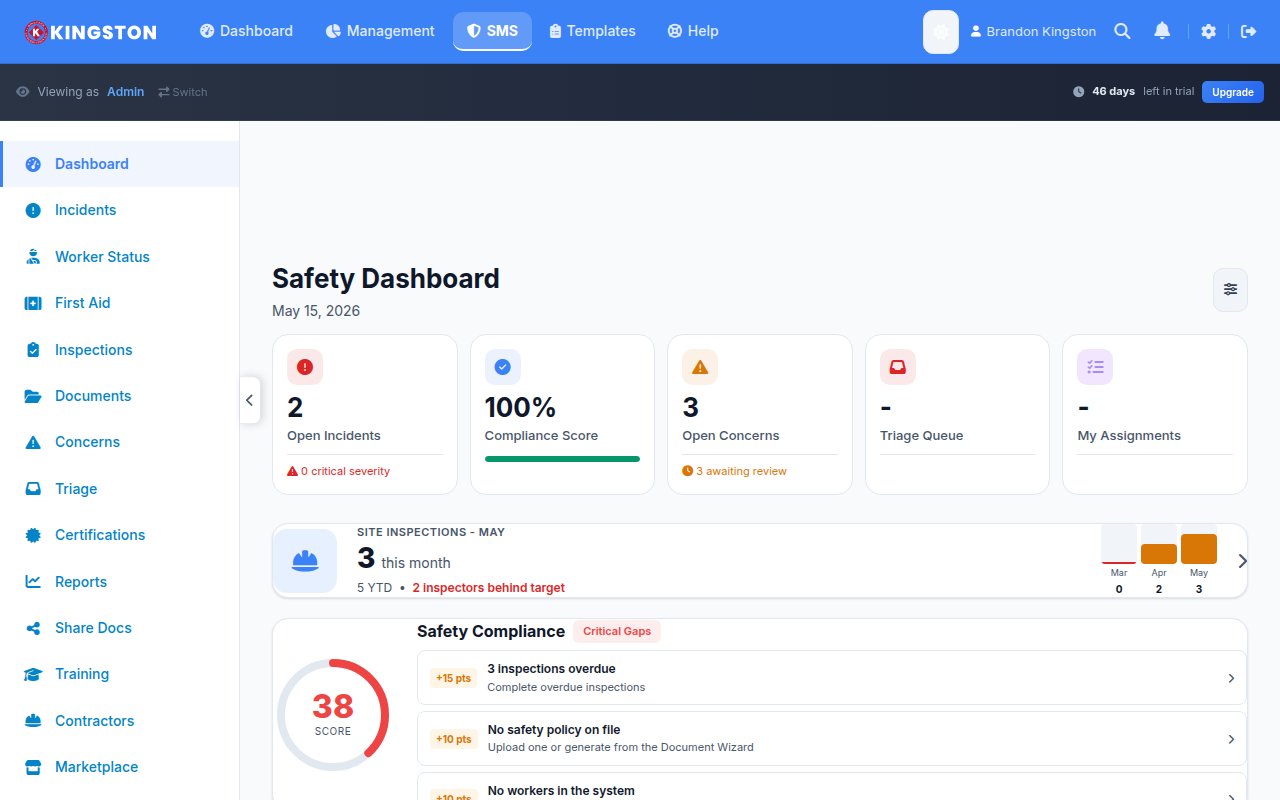
Make Safety Easy is a full-featured safety management platform built for construction and industrial teams. It covers toolbox talks, inspections, incident reporting and tracking, corrective actions, compliance dashboards and worker certification management in a single platform. The offline PWA means field workers can complete any form without cell service, and everything syncs when they reconnect.
What it does well: Breadth of features. Unlike apps that specialize in one area, Make Safety Easy covers the full safety management lifecycle. The compliance dashboard gives safety managers a real-time view of their program health, open corrective actions and upcoming certification expiries. The platform handles both construction project management and safety workflows, which eliminates the need for separate tools. Pre-built checklists are included and customizable.
What it lacks: Make Safety Easy is not free. There is a free trial to test the platform, but ongoing use requires a paid subscription at $39/user/month. It does not have the massive template library that SafetyCulture offers. The platform is newer than some competitors, which means fewer third-party integrations at this stage. For teams that only need basic inspections, it may be more platform than necessary.
Best for: Construction companies, industrial operations and safety-conscious businesses that want one platform covering their entire safety program. Teams that are tired of stitching together multiple free tools to cover different needs.
Pricing reality: $39/user/month after free trial. No free tier. See current pricing for volume discounts and plan details. We are honest about this: you get what you pay for, and what you get is a complete system rather than a patchwork of limited free tools.
SiteDocs - Strong Canadian Option
SiteDocs is a well-established safety management platform with particularly strong adoption across Canadian construction and industrial companies. It covers safety forms, toolbox talks, inspections and incident reporting. The platform is designed around how Canadian safety regulations work, including WorkSafeBC and provincial OHS requirements.
What it does well: Toolbox talks and safety meeting management. SiteDocs makes it straightforward to create, distribute and track toolbox talk attendance. The platform has solid offline capability, and the mobile experience is designed for field use. Canadian companies appreciate the built-in understanding of provincial regulatory frameworks. Document management for SDS sheets and safety policies is well executed.
What it lacks: SiteDocs does not have a free tier. Pricing starts around $30/user/month, and final costs depend on the modules selected. The compliance dashboard is more limited than what you get from SafetyCulture's paid plans or Make Safety Easy. The interface can feel dated in some areas, and newer features sometimes lag behind competitors. U.S.-focused teams may find the Canadian regulatory emphasis less relevant.
Best for: Canadian construction and industrial companies that want a proven platform with strong toolbox talk functionality and familiarity with Canadian safety regulations.
Pricing reality: Approximately $30/user/month. No free plan. Pricing varies based on company size and module selection. Contact their sales team for exact quotes.
Safety Meeting App - Free Toolbox Talks (and Not Much Else)
Safety Meeting App is exactly what the name suggests: a focused tool for delivering and tracking safety meetings and toolbox talks. The free basic version gives you access to a library of pre-written safety meeting topics that you can present to your crew and record attendance.
What it does well: Toolbox talks. If all you need is a way to deliver safety meetings and document who attended, this app covers that need at no cost. The topic library is decent and covers common construction and industrial hazards. Setup is minimal, and the learning curve is near zero.
What it lacks: Everything else. Safety Meeting App does not offer inspections, incident reporting, corrective action tracking, compliance dashboards or any broader safety management functionality. There is no offline mode, which is a significant limitation for remote job sites. The app feels like it was built for one purpose and has not expanded beyond it.
Best for: Very small crews that only need toolbox talk delivery and attendance tracking. Companies that already have other tools covering inspections and incident reporting and just need to fill a toolbox talk gap.
Pricing reality: Free basic plan. Premium content and features require a paid upgrade, but pricing is not prominently published.
OSHA-Safe - Free Government Resource Hub
OSHA-Safe is less of a safety management app and more of a reference and resource tool. It aggregates OSHA standards, safety data sheets, hazard information and regulatory guidance into a mobile-friendly interface. Think of it as a digital safety reference library rather than a workflow tool.
What it does well: Providing quick access to OSHA regulations, hazard information and safety reference materials. For safety managers who need to look up a specific OSHA standard or check a chemical exposure limit on the spot, it is a useful pocket reference. The app is completely free with no hidden paywalls.
What it lacks: Virtually everything a safety management app should do. OSHA-Safe does not handle inspections, incident reporting, toolbox talks, corrective actions or compliance tracking. There is no form-building capability. It is a reference tool, not a management tool. Offline access is partial, with some content requiring an internet connection to load.
Best for: Safety professionals who want a quick reference for OSHA standards and regulations on their phone. Not suitable as a primary safety management tool for any team.
Pricing reality: Completely free. No paid upgrades because it does not offer management features to gate behind a paywall.
SafetySync - Budget-Friendly for Small Teams
SafetySync targets small to mid-size businesses that need core safety management features without enterprise pricing. At $15/user/month, it is one of the most affordable paid options on the market. The platform covers toolbox talks, basic inspections, training tracking and some incident reporting functionality.
What it does well: Affordability and simplicity. SafetySync keeps things straightforward, which means faster onboarding for small teams. Training and certification tracking is a standout feature, making it easy to see which workers have completed required courses and when renewals are due. The toolbox talk library is adequate for most common topics. For teams under 20 users, the price-to-feature ratio is competitive.
What it lacks: No offline capability, which immediately disqualifies it for teams working on remote sites without reliable connectivity. Incident reporting is more limited than dedicated tools, and the corrective action workflow is basic. The compliance dashboard provides surface-level metrics rather than the depth that larger organizations need. The mobile app experience is functional but not as polished as SafetyCulture or Make Safety Easy.
Best for: Small teams (under 20 users) with reliable internet access who need basic safety management at a low price point. Office-based or urban job site teams where connectivity is not an issue.
Pricing reality: $15/user/month. No free tier. Straightforward pricing without complex module selection, which small businesses appreciate.
1st Reporting - Incident Reporting Specialist
1st Reporting focuses specifically on incident and event reporting. The platform is built around capturing what happened, documenting the scene with photos and statements, and routing reports to the right people for review and follow-up. It does one thing and does it thoroughly.
What it does well: Incident reporting depth. If your primary need is a robust incident capture and reporting tool, 1st Reporting delivers. The form builder handles complex incident workflows including witness statements, photo documentation, injury classification and management review routing. Offline capability ensures reports can be started immediately after an incident, even without connectivity. Reports are formatted for regulatory submission.
What it lacks: Scope. 1st Reporting does not cover toolbox talks, inspection checklists or compliance dashboards in any meaningful way. You will need separate tools for those functions. Pricing is not published on their website and requires contacting sales, which suggests enterprise-level costs. The platform is not designed for day-to-day safety management beyond incident capture.
Best for: Organizations that need a dedicated incident reporting system, particularly those with complex reporting requirements or multi-site operations where incident documentation quality is a top priority.
Pricing reality: Custom pricing through sales consultation. Not positioned as a budget option. Expect enterprise-tier costs for full deployment.
Our Picks
Best Overall: Make Safety Easy. It is not free, but it is the most complete platform we tested. One subscription covers toolbox talks, inspections, incident reporting, corrective actions and compliance dashboards. The offline PWA and construction-aware design make it the strongest choice for teams that want everything in one place. See pricing and start a free trial.
Best Free Option: SafetyCulture (iAuditor) free tier. If budget is truly zero, SafetyCulture's free plan gives you legitimate inspection capability backed by 45,000+ templates. Just understand that you will hit walls quickly if your needs extend beyond checklists.
Best for Small Teams on a Budget: SafetySync. At $15/user/month, SafetySync delivers solid core features without enterprise complexity or pricing. Ideal for small teams with reliable internet access.
Best for Inspections Only: SafetyCulture (iAuditor). No other app matches SafetyCulture's template library and inspection-specific tooling. If inspections are your sole focus, this is the answer.
The Real Cost of "Free" Safety Software
Free safety apps serve a purpose, but they come with hidden costs that are worth acknowledging before you build your safety program around one.
- Time costs: Free tools require more manual work. Without automation for corrective actions, follow-ups and compliance tracking, your safety coordinator spends hours on tasks that paid platforms handle automatically.
- Coverage gaps: Most free tools cover one or two functions well but leave gaps elsewhere. Stitching together three or four free apps creates data silos and makes comprehensive reporting nearly impossible.
- Compliance risk: If your free tool does not produce the reports and records that regulators expect, the "savings" evaporate the moment you face an audit finding or, worse, a post-incident investigation.
- Migration pain: Starting on a free tool and switching later means re-entering data, retraining workers and potentially losing historical records that should have been preserved.
For teams with fewer than five workers and minimal regulatory exposure, a free tool can work. For everyone else, the cost of a proper safety platform is one of the cheapest insurance policies your business can buy. Use our incident rate calculator to see what workplace incidents are actually costing you.
Frequently Asked Questions
Are free safety apps good enough for OSHA compliance?
It depends on your specific compliance requirements. Free safety apps can help you document basic inspections and incidents, which is a step above paper records. However, most free tools do not generate the specific reports and recordkeeping formats that OSHA expects during an audit. OSHA 300 logs, incident trend analysis, corrective action documentation and training records all require features typically found only in paid platforms. If your company is subject to regular OSHA inspections or operates in a high-hazard industry, relying solely on free tools creates compliance risk. A paid platform with built-in regulatory reporting is a safer bet. Check our full software comparison to see which platforms include OSHA-specific compliance features.
What features should I look for in a safety app?
At minimum, look for incident reporting, inspection checklists, toolbox talk management and some form of compliance tracking or dashboard. Beyond those basics, prioritize offline capability (essential for remote job sites), photo and signature capture, corrective action workflows with automated follow-up reminders, and exportable reports that satisfy your regulatory requirements. Mobile usability matters enormously because the people filling out forms are field workers, not desk-bound administrators. If the app is clunky on a phone screen, adoption will fail regardless of how many features it has. Integration with your existing tools (HR systems, project management, payroll) is valuable but not critical for most small to mid-size teams.
Can I switch from paper to digital safety forms?
Yes, and most teams that make the switch report immediate improvements in completion rates, record accuracy and time savings. The key to a successful transition is starting with your most-used forms first, like daily site inspections or toolbox talk sign-in sheets, rather than trying to digitize everything at once. Most safety apps, including Make Safety Easy, offer pre-built templates that match common paper forms so you do not have to build everything from scratch. Expect a two-to-four-week adjustment period where some workers resist the change. Having management visibly use the app accelerates adoption. The paper-to-digital transition is one of the highest-impact improvements a safety program can make because it eliminates lost forms, illegible handwriting, filing delays and the inability to run trend reports across historical data.