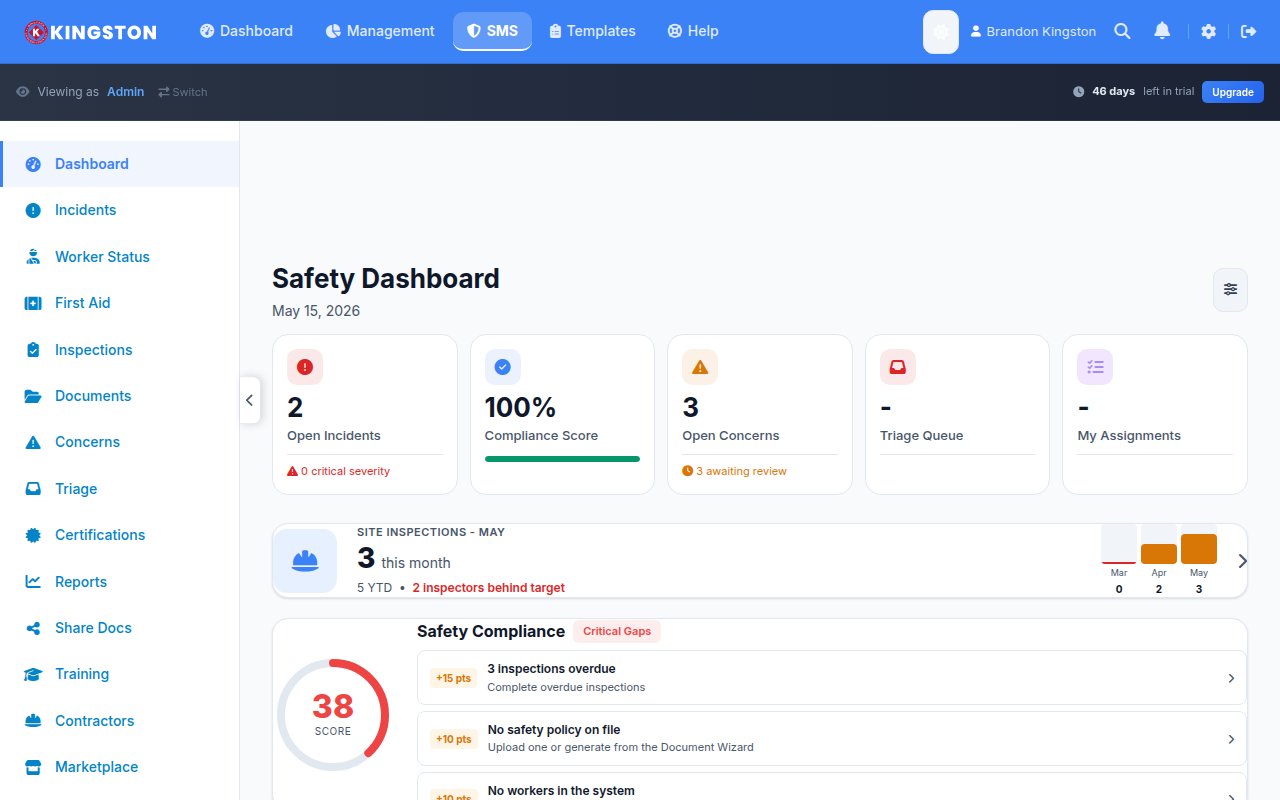
Digital safety transformation is the process of replacing paper-based and manual safety management processes with integrated digital tools - mobile apps, cloud platforms, IoT sensors, AI analytics and wearable devices - to improve safety outcomes, reduce administrative burden and enable data-driven decision making. Organizations that complete a digital safety transformation report 30-50% reductions in recordable incidents, 60-80% decreases in administrative time and measurable improvements in regulatory compliance within the first 18 months. This guide provides a complete roadmap for planning, implementing and measuring your digital EHS transformation.
Why Digital Transformation in Safety Matters Now
Safety management has lagged behind nearly every other business function in digital adoption. While finance, HR, sales and operations moved to digital platforms years ago, many safety departments still rely on paper forms, spreadsheets and filing cabinets. This creates serious problems:
- Data is trapped: Paper-based safety records cannot be analyzed at scale. Trends, patterns and leading indicators remain invisible until an incident reveals them.
- Response time is slow: A paper hazard report takes days to travel from the field to the safety manager's desk. A digital report arrives in seconds with photos, GPS location and automatic routing.
- Compliance is fragile: Paper records get lost, damaged and misfiled. When the regulator arrives, retrieving specific training records or inspection histories can take hours or days.
- Worker engagement is low: Younger workers expect digital tools. Asking a 25-year-old to fill out a triplicate carbon-copy form communicates that your organization does not take safety (or them) seriously.
- Scalability is impossible: Paper-based systems that work for 50 workers collapse at 200. Multi-site operations cannot maintain consistency without digital standardization.
The COVID-19 pandemic accelerated digital adoption across every industry and safety was no exception. Remote audits, digital training delivery and contactless inspections moved from "nice-to-have" to "essential" practically overnight. Organizations that had already digitized their safety programs adapted quickly. Those that had not scrambled to catch up.
Free Download: 5 Safe Work Procedures
Choose from 112 professionally written SWPs. No credit card required.
Get Free SWPsCurrent State Assessment: Where Are You Now?
Before selecting technology, you need an honest assessment of your current digital maturity. Use this framework to evaluate your starting point.
Digital Maturity Assessment Matrix
| Safety Process | Level 1: Paper | Level 2: Spreadsheet | Level 3: Point Solutions | Level 4: Integrated Platform | Level 5: AI-Enabled |
|---|---|---|---|---|---|
| Incident reporting | Paper forms filed in folders | Excel tracking, email notifications | Standalone reporting app | Integrated with investigations, corrective actions | AI-assisted root cause, predictive analytics |
| Inspections | Paper checklists, clipboard | Excel checklists, manual scheduling | Mobile inspection app | Integrated with corrective actions, analytics | AI-prioritized inspections based on risk |
| Training management | Paper sign-in sheets, manual tracking | Excel matrix, email reminders | LMS for content delivery | LMS integrated with compliance tracking | Adaptive learning based on role and risk |
| Document control | Filing cabinets, binder systems | Shared drives, folders | Document management system | Integrated with workflows and notifications | AI-assisted version control and relevance |
| Safety observations | Paper observation cards | Excel data entry after collection | Mobile observation tool | Integrated with analytics and trending | AI pattern recognition, predictive insights |
| Corrective actions | Paper tracking, manual follow-up | Excel with due dates | Task management tool | Automated workflows with escalation | AI-prioritized based on risk and history |
| Reporting/analytics | Manual report creation | Pivot tables, charts in Excel | Basic dashboard | Real-time dashboards, automated reports | Predictive analytics, anomaly detection |
Assessment Checklist
Score each item honestly. This is a diagnostic tool, not a performance review.
- [ ] What percentage of safety data is currently digital vs. paper? (Target: identify current state)
- [ ] How long does it take to generate a monthly safety report? (Best-in-class: under 1 hour)
- [ ] Can you access any worker's training record within 5 minutes? (If no: critical gap)
- [ ] How quickly does a hazard report reach the person who can fix it? (Best-in-class: under 1 hour)
- [ ] Can you identify safety trends across multiple locations from a single dashboard? (If no: data silos)
- [ ] Do field workers have mobile access to safety tools? (If no: engagement gap)
- [ ] Is your safety data integrated with HR, operations and finance data? (If no: missed insights)
- [ ] Can your system function without internet connectivity? (Critical for remote/field operations)
Technology Landscape: What Is Available
The EHS technology market has matured significantly. Understanding the categories of available technology helps you make informed vendor selection decisions.
Mobile Safety Apps
Mobile apps are the foundation of digital safety transformation. They put safety tools in the hands of field workers where hazards actually exist.
Core capabilities:
- Digital inspection checklists with photo and signature capture
- Incident and near-miss reporting from the field
- Safety observation recording
- Toolbox talk delivery and sign-off
- Access to safety documents, SOPs and SDSs
- Training content delivery and completion tracking
Critical feature: Offline capability. Construction sites, mines, oil rigs and rural locations often lack reliable internet. Any mobile safety app that requires constant connectivity is useless for field operations. Look for platforms that sync automatically when connectivity returns. For more on this critical feature, see our guide on mobile safety apps with offline-first design.
IoT Sensors and Environmental Monitoring
Internet of Things (IoT) devices continuously monitor environmental conditions and worker exposure, providing data that human observation cannot match.
| Sensor Type | What It Monitors | Safety Application | Typical Cost |
|---|---|---|---|
| Gas detectors (connected) | H2S, CO, O2, LEL, VOCs | Real-time atmospheric monitoring with cloud alerts | $500-2,000 per unit |
| Noise dosimeters | Worker noise exposure | Continuous TWA monitoring, hearing conservation compliance | $300-800 per unit |
| Environmental monitors | Temperature, humidity, air quality | Heat stress prevention, indoor air quality | $200-1,000 per unit |
| Vibration sensors | Hand-arm and whole-body vibration | HAVS prevention, equipment maintenance | $400-1,200 per unit |
| Proximity sensors | Worker proximity to equipment/zones | Exclusion zone enforcement, vehicle-pedestrian alerts | $100-500 per unit |
| Dust monitors | Particulate matter concentration | Silica, asbestos and general dust exposure monitoring | $1,000-5,000 per unit |
Wearable Safety Technology
Wearables combine the portability of PPE with the intelligence of IoT sensors.
- Smart hard hats: Impact detection, location tracking, fatigue monitoring through micro-movement analysis. Some models include integrated communication systems and environmental sensors.
- Connected safety vests: GPS location for lone workers, fall detection, vital sign monitoring (heart rate, body temperature). Critical for remote and isolated work scenarios.
- Exoskeletons: Powered and passive devices that reduce musculoskeletal strain during lifting, overhead work and repetitive tasks. Studies show 30-50% reduction in muscle strain for targeted body regions.
- Smart safety glasses: Augmented reality overlays for procedures, hazard warnings and remote expert assistance. Emerging technology with significant potential for maintenance and complex assembly tasks.
- Biometric monitors: Wrist-worn devices tracking heart rate, skin temperature and activity levels for heat stress prevention and fatigue monitoring.
Artificial Intelligence in Safety
AI is transforming safety from reactive to predictive. Current AI applications in EHS include:
Predictive analytics: Machine learning models analyze historical incident data, weather conditions, work schedules, training records and inspection results to predict where and when incidents are most likely to occur. Organizations using predictive safety analytics report identifying high-risk situations 2-4 weeks before incidents would have occurred.
Computer vision: AI-powered cameras detect PPE compliance, unsafe behaviors and hazardous conditions in real time. These systems can monitor large areas continuously without human observers, flagging issues for supervisor attention.
Natural language processing: AI tools that analyze incident reports, near-miss narratives and safety meeting notes to identify recurring themes, hidden patterns and emerging risks that human reviewers might miss.
Document intelligence: AI that automatically extracts key information from SDSs, regulations and safety standards, keeping your compliance database current and alerting you to relevant regulatory changes.
Vendor Selection Framework
Choosing the right technology partner is one of the most consequential decisions in your digital transformation. Use this structured framework to evaluate vendors objectively.
Must-Have vs. Nice-to-Have Criteria
| Category | Must-Have | Nice-to-Have |
|---|---|---|
| Core functionality | Incident reporting, inspections, corrective actions, training tracking | BBS observations, JSA/JHA builder, permit-to-work |
| Mobile access | Native mobile app (iOS and Android) | Tablet-optimized interface |
| Offline capability | Full functionality without internet, automatic sync | Selective offline for specific modules |
| User experience | Intuitive for non-technical field workers | Customizable dashboards, role-based views |
| Reporting | Standard reports, export to Excel/PDF | Custom report builder, scheduled auto-reports |
| Integration | API available, common integrations (HR, email) | Pre-built connectors for major ERP/HR systems |
| Security | SOC 2 compliance, data encryption, role-based access | SSO, multi-factor authentication, data residency options |
| Support | Responsive customer support, implementation assistance | Dedicated account manager, 24/7 support |
| Pricing | Transparent pricing, no hidden fees | Flexible plans that scale with organization size |
Vendor Evaluation Scorecard
Rate each vendor on a 1-5 scale across these dimensions:
| Evaluation Criteria | Weight | Vendor A | Vendor B | Vendor C |
|---|---|---|---|---|
| Core functionality fit | 25% | _/5 | _/5 | _/5 |
| Ease of use (field workers) | 20% | _/5 | _/5 | _/5 |
| Mobile/offline capability | 15% | _/5 | _/5 | _/5 |
| Implementation support | 10% | _/5 | _/5 | _/5 |
| Integration capabilities | 10% | _/5 | _/5 | _/5 |
| Total cost of ownership | 10% | _/5 | _/5 | _/5 |
| Vendor stability/reputation | 5% | _/5 | _/5 | _/5 |
| Scalability | 5% | _/5 | _/5 | _/5 |
| Weighted Total | 100% | _/5 | _/5 | _/5 |
Red Flags During Vendor Evaluation
- Vendor cannot demonstrate the product with real data in a live environment (only slides and mockups)
- No offline capability or dismissive attitude toward offline requirements
- Pricing requires annual commitment with no trial or pilot option
- Customer references are limited to enterprise clients when you are mid-market (or vice versa)
- Implementation timeline exceeds 90 days for core functionality
- No API or integration capabilities
- Data export is restricted or requires vendor assistance
- Support is limited to email with no phone or chat option
Implementation Roadmap: 12-Month Plan
A phased approach reduces risk, builds momentum and allows your organization to absorb change at a manageable pace. This 12-month roadmap has been proven across hundreds of safety digital transformation projects.
Phase 1: Foundation (Months 1-3)
Month 1: Planning and Preparation
- Complete the digital maturity assessment
- Define transformation objectives and success metrics
- Identify the executive sponsor and project team
- Evaluate and select the technology vendor
- Develop the communication plan for the organization
- Audit existing data for migration readiness
Month 2: Configuration and Pilot Setup
- Configure the platform for your organization's structure (sites, departments, roles)
- Build or customize inspection checklists, report forms and workflows
- Import employee data and organizational hierarchy
- Set up user accounts, roles and permissions
- Select the pilot group (one site or department with high engagement and moderate complexity)
- Prepare training materials for the pilot group
Month 3: Pilot Launch
- Train the pilot group (all users, not just safety professionals)
- Launch core modules: incident reporting and inspections
- Provide intensive on-site support for the first two weeks
- Collect daily feedback and resolve issues immediately
- Track adoption metrics: logins, reports submitted, inspections completed
- Document lessons learned for the broader rollout
Phase 2: Expansion (Months 4-6)
Month 4: Pilot Optimization and Rollout Planning
- Analyze pilot data and user feedback
- Refine configurations based on pilot learnings
- Develop the site-by-site rollout schedule
- Train site champions at each remaining location
- Begin historical data migration for priority records
Month 5: Multi-Site Rollout Begins
- Roll out to 2-3 additional sites simultaneously
- Deploy using the "site champion" model (trained local users who support their peers)
- Activate additional modules: corrective actions, document management
- Establish help desk/support process for user questions
- Monitor adoption rates daily, intervene where adoption lags
Month 6: Organization-Wide Coverage
- Complete rollout to all remaining sites
- Ensure all active users can perform core functions independently
- Retire paper-based processes for digitized functions (critical milestone)
- Publish the first organization-wide digital safety dashboard
- Conduct mid-project review with executive sponsor
Phase 3: Optimization (Months 7-9)
Month 7: Advanced Features
- Activate advanced modules: safety observations, training management, analytics
- Configure automated workflows: escalation rules, notification triggers, report scheduling
- Begin integration with existing systems (HR for employee data, procurement for PPE)
- Train power users on reporting and analytics capabilities
Month 8: Data-Driven Decision Making
- Build custom dashboards for different audiences (executives, site managers, safety team)
- Establish monthly data review cadence using digital reports
- Identify and act on the first insights surfaced by digital data analysis
- Compare digital-era safety metrics to pre-transformation baselines
Month 9: Process Refinement
- Conduct organization-wide user satisfaction survey
- Optimize workflows based on 6 months of usage data
- Streamline any processes that users find cumbersome
- Add custom fields or forms based on evolving needs
- Archive or decommission legacy paper-based systems
Phase 4: Maturity (Months 10-12)
Month 10: Advanced Analytics and Integration
- Deploy predictive analytics if available
- Complete system integrations (ERP, HR, insurance carrier portals)
- Enable automated regulatory reporting where applicable
- Begin exploring IoT sensor integration for environmental monitoring
Month 11: Culture and Sustainability
- Recognize and reward digital safety champions
- Embed digital safety practices into onboarding for all new hires
- Update job descriptions to reflect digital competencies
- Document standard operating procedures for all digital safety processes
Month 12: Review and Plan Forward
- Comprehensive ROI analysis comparing pre- and post-transformation metrics
- Executive presentation of transformation results
- Develop the Year 2 roadmap for continued improvement
- Evaluate emerging technologies for next-phase adoption
- Celebrate the transformation milestone organization-wide
Change Management: The Human Side of Digital Transformation
Technology is the easy part. People are the hard part. Studies consistently show that 70% of digital transformation initiatives fail to achieve their objectives and the primary reason is poor change management, not poor technology. A $50,000 platform that nobody uses has zero ROI.
The Resistance Spectrum
Expect resistance from every level of the organization. Understanding the sources of resistance helps you address them proactively.
| Stakeholder Group | Common Concerns | Mitigation Strategy |
|---|---|---|
| Field workers | "I'm not tech-savvy," "This is just more paperwork," "My phone screen is too small with gloves" | Simple, intuitive interface. Demonstrate how it reduces their workload. Ruggedized device options. |
| Supervisors | "I don't have time for another system," "My team won't use it" | Show time savings with real data from pilot. Empower them as site champions. |
| Senior management | "What's the ROI?" "We've tried technology before and it failed" | Clear business case with projected savings. Phased approach reduces risk. |
| IT department | "Security concerns," "Integration complexity," "Support burden" | SOC 2 compliance documentation. Cloud-based reduces IT burden. API documentation. |
| Safety professionals | "I'll lose control," "The data won't be as good," "My expertise is being automated" | Position technology as amplifying their expertise, not replacing it. They become data analysts, not form processors. |
| Veteran workers | "We've done it this way for 20 years," "Paper works fine" | Pair with tech-savvy peers. Acknowledge their experience while showing benefits. |
Change Management Framework
1. Create urgency: Share the costs of the current state - time wasted on paperwork, incidents caused by slow reporting, compliance gaps, data that cannot be analyzed. Make the status quo uncomfortable.
2. Build a coalition: Identify influential individuals at every level who support the transformation. These are your champions. They do not need to be managers - respected frontline workers often have more influence than supervisors.
3. Communicate relentlessly: Communicate the why before the what. Workers need to understand the purpose behind the change, not just the mechanics. Communicate through multiple channels: meetings, emails, posters, toolbox talks, one-on-one conversations.
4. Enable success: Provide adequate training, support and time for people to learn. The first two weeks after launch are critical. Have support available on every shift at every location.
5. Celebrate wins early and often: Share success stories from the pilot. Recognize early adopters. When the system surfaces an insight that prevents a hazard, make that story known throughout the organization.
6. Embed in culture: Digital tools must become "how we do things" rather than "an extra thing we have to do." Integration into existing workflows, meetings and performance processes is essential.
ROI Measurement for Digital Transformation
Measuring the return on your digital safety investment requires tracking metrics across four categories: efficiency, effectiveness, compliance and engagement.
Efficiency Metrics
| Metric | Pre-Digital Baseline (Typical) | Post-Digital Target | Financial Impact |
|---|---|---|---|
| Time to complete an inspection | 45-60 minutes (paper + data entry) | 15-25 minutes (mobile) | 50-60% time savings per inspection |
| Time from incident to management notification | 24-72 hours | Under 1 hour | Faster response reduces severity/cost |
| Monthly report generation time | 8-16 hours of manual compilation | Under 1 hour (automated) | 80-90% time savings |
| Corrective action tracking time | 2-4 hours/week (manual follow-up) | 30 min/week (automated reminders) | 75% time savings |
| Training record retrieval | 15-30 minutes per record | Under 1 minute (search) | 95% time savings |
| Audit preparation time | 40-80 hours per audit | 4-8 hours per audit | 90% time savings |
Effectiveness Metrics
| Metric | Expected Improvement | Measurement Period |
|---|---|---|
| Recordable incident rate (TRIR) | 20-40% reduction | 12-24 months |
| Near-miss reporting volume | 200-500% increase | 6-12 months |
| Corrective action closure rate | 40-60% improvement | 6 months |
| Inspection completion rate | 30-50% improvement | 3-6 months |
| Hazard identification rate | 100-300% increase | 6-12 months |
| Average corrective action closure time | 50-70% reduction | 6 months |
Calculating Digital Transformation ROI
Use this formula to calculate your digital safety ROI:
ROI (%) = [(Administrative Time Savings + Incident Cost Reduction + Compliance Savings + Insurance Savings) - (Software Cost + Implementation Cost + Training Cost)] / Total Investment x 100
Worked Example: 300-Employee Construction Company
| Item | Annual Amount |
|---|---|
| Investment | |
| Safety management platform (annual subscription) | $18,000 |
| Implementation and configuration | $5,000 |
| Training time (one-time, amortized) | $8,000 |
| Total Investment (Year 1) | $31,000 |
| Returns | |
| Administrative time savings (safety team: 15 hrs/week x $45/hr x 50 weeks) | $33,750 |
| Supervisor time savings (inspections: 8 hrs/week x $38/hr x 50 weeks) | $15,200 |
| Incident cost reduction (4 fewer recordables x $42,000 avg) | $168,000 |
| Insurance premium reduction (improved EMR) | $22,000 |
| OSHA citation avoidance (improved documentation) | $15,000 |
| Total Returns | $253,950 |
Year 1 ROI = [($253,950 - $31,000) / $31,000] x 100 = 719%
Even if you assume conservative numbers - half the incident reduction and no insurance savings - the ROI remains compelling at over 300%.
Data Migration: Moving From Paper to Digital
Data migration is often the most underestimated aspect of digital transformation. A thoughtful migration strategy prevents data loss, maintains compliance continuity and sets up your new system for success.
Migration Priority Framework
| Priority | Data Type | Reason | Migration Method |
|---|---|---|---|
| Critical | Active employee records and training certifications | Needed for ongoing compliance tracking | Bulk import from HR system |
| Critical | Open corrective actions and investigations | Active items need tracking continuity | Manual entry of open items |
| High | Last 12 months of incident records | Needed for trend analysis baseline | Bulk import or manual entry |
| High | Current safety documents (SOPs, policies, SDSs) | Workers need access from day one | Bulk upload to document management |
| Medium | Historical inspection records (last 3 years) | Useful for trend analysis | Scan and attach as reference documents |
| Low | Historical incident records (3+ years) | Reference only, rarely accessed | Retain in archive, do not migrate |
| Low | Historical training records (completed/expired) | Reference only | Retain in archive, do not migrate |
Data Migration Best Practices
- Do not try to migrate everything. Focus on data that you will actively use in the new system. Historical data that is only needed for occasional reference can remain in archived paper or digital files.
- Clean data before migration. Migrating dirty data (duplicates, outdated records, inconsistent formats) into a new system just creates digital mess instead of paper mess.
- Validate after migration. Spot-check migrated records against source documents. Verify record counts match. Have department managers review their team's migrated data.
- Maintain parallel systems during transition. Run paper and digital systems in parallel for 30-60 days. This provides a safety net and builds confidence in the new system.
- Set a hard cutoff date. Running parallel systems indefinitely doubles the workload and guarantees the digital system will be abandoned. Set a date after which paper processes are officially retired.
For a detailed guide on moving from paper to digital, see our resource on paper-to-digital safety management migration.
Integration With Existing Systems
Your safety management platform should not operate in isolation. Integration with other business systems multiplies the value of your safety data.
Common Integration Points
| System | Integration Value | Data Flow |
|---|---|---|
| HR/HRIS | Automatic employee onboarding/offboarding, role-based training assignment | HR > Safety (employee data) |
| Payroll | Track training hours, calculate lost-time costs | Bidirectional |
| ERP | PPE procurement, maintenance scheduling, cost tracking | Bidirectional |
| Insurance carrier | Automated claims reporting, loss run data | Safety > Insurance |
| Project management | Safety requirements by project, contractor management | Bidirectional |
| Business intelligence | Safety data in executive dashboards alongside financial and operational data | Safety > BI |
| Contractor management (ISNetworld, Avetta) | Automated compliance data sharing | Safety > Contractor platform |
Future Trends in Digital Safety
The digital safety landscape is evolving rapidly. These trends will shape the next 3-5 years:
Generative AI for Safety: Large language models are beginning to assist with incident investigation narrative generation, root cause hypothesis development and regulatory interpretation. Expect AI co-pilots that help safety professionals write better reports, identify patterns in narrative data and stay current with regulatory changes.
Digital Twins for Safety: Virtual replicas of physical work environments that simulate hazard scenarios, test control effectiveness and train workers in realistic but risk-free settings. Particularly valuable for process safety in chemical, oil and gas and manufacturing facilities.
Autonomous Safety Monitoring: Drones and robots that conduct routine inspections in hazardous or hard-to-reach areas. Autonomous gas detection drones for confined spaces, structural inspection robots for towers and bridges and patrol robots for perimeter security.
Predictive Wearables: Next-generation wearables that predict fatigue, heat stress and musculoskeletal strain before symptoms appear, enabling proactive intervention rather than reactive treatment.
Blockchain for Compliance: Immutable digital records for safety certifications, training completions and equipment inspections. Blockchain verification eliminates the risk of falsified safety documents, particularly relevant for contractor management.
Edge Computing: Processing safety data at the point of collection (on the device or local server) rather than sending everything to the cloud. This enables real-time alerts even without internet connectivity and reduces latency for time-critical safety applications.
Common Digital Transformation Mistakes
Learn from the organizations that have gone before you. These are the most frequent and costly mistakes:
1. Technology-first thinking: Buying software before defining your processes and objectives. Technology should enable your strategy, not define it. Start with "What safety outcomes do we want?" not "What features does this software have?"
2. Boiling the ocean: Trying to digitize everything at once. This overwhelms users, strains resources and increases the risk of failure. The phased approach in the 12-month roadmap exists for a reason.
3. Underinvesting in training: Spending $50,000 on software and $500 on training. Budget at least 15-20% of your total technology investment for user training and change management.
4. Ignoring the field: Designing the system for the safety department's needs without considering field worker experience. If the app takes 10 minutes to submit a report that took 3 minutes on paper, adoption will fail.
5. No executive sponsor: Digital transformation requires organizational change, which requires authority. A safety manager alone cannot drive transformation without executive support to remove organizational barriers.
6. Expecting instant results: Digital transformation is a journey, not an event. Expect 3-6 months before meaningful data accumulates and 12-18 months before full ROI materializes. Set expectations accordingly with leadership.
7. Keeping paper as a backup indefinitely: Parallel systems drain energy and signal that the organization is not committed to the change. Set a firm cutoff date and stick to it.
Getting Started: Your First Steps
Digital transformation can feel overwhelming, but it starts with a single step. Here is what to do this week:
- Complete the digital maturity assessment above. Know where you are starting from.
- Identify your biggest pain point. Is it incident reporting speed? Inspection compliance? Training record management? Start with the process that causes the most frustration.
- Talk to your field workers. Ask them what they would change about how safety information flows. Their insights will surprise you.
- Research 3-5 vendors. Use the evaluation framework above to compare options objectively.
- Build a simple business case. Calculate the time currently spent on manual safety administration. Multiply by fully loaded hourly rates. That number alone often justifies the investment.
Make Safety Easy was built specifically for organizations making the leap from paper-based safety management to digital. Our platform delivers mobile-first incident reporting, streamlined digital inspections and the offline capability that field operations demand. Schedule a demo to see how easy the transition can be, or explore our pricing plans to find the right fit for your organization's size and needs.
The organizations that digitize their safety programs today will not just have better data tomorrow. They will have safer workplaces, lower costs and a competitive advantage that paper-bound competitors cannot match. The question is not whether to transform - it is how quickly you can start.
Go Digital with Make Safety Easy
Replace paper checklists with one platform your whole team can use.