Building specifically in construction? See our dedicated comparison of the best construction safety software for 2026, with real pricing for every major platform.
Updated May 2026
We evaluated 7 safety management platforms so you do not have to. Whether you are replacing paper systems, outgrowing a basic app, or switching from a platform that is not working, this guide covers the options that matter in 2026.
Free Download: 5 Safe Work Procedures
Choose from 112 professionally written SWPs. No credit card required.
Get Free SWPsNo platform is perfect for every team. The right choice depends on your industry, team size, budget, and whether you need construction management alongside your safety compliance. We ranked each platform by what it does best -- not by who paid us to be listed first.
What We Evaluated
Every platform was assessed across six categories:
- Safety features: Inspections, incident reporting, toolbox talks, hazard identification, training tracking
- Construction support: Project management, job tracking, quoting, field operations
- Pricing and transparency: Published pricing, per-seat costs, setup fees, minimum commitments
- Ease of use: Setup time, learning curve, mobile experience, offline capability
- Reporting: Compliance reports, dashboards, analytics, audit readiness
- Scalability: How well the platform handles growth from 5 users to 100+
The 7 Best Safety Management Platforms for 2026
1. SafetyCulture -- Best for Inspection-Heavy Operations
SafetyCulture (formerly iAuditor) is the most recognized name in digital inspections. Its template library is massive, its mobile app is polished, and its analytics engine handles high-volume operations across hundreds of locations.
Best for: Large organizations running thousands of inspections monthly across multiple sites.
Pricing: Free tier (limited), Premium at $24/seat/month, Enterprise by custom quote.
Pros:
- Largest inspection template library in the market
- Strong mobile app with reliable offline sync
- Deep analytics and Power BI integration
Cons:
- No built-in toolbox talks
- Per-seat pricing escalates quickly for larger teams
- Platform has expanded into areas (sensors, assets, training) that add complexity without value for safety-focused teams
2. Make Safety Easy -- Best for Construction + Safety Combined
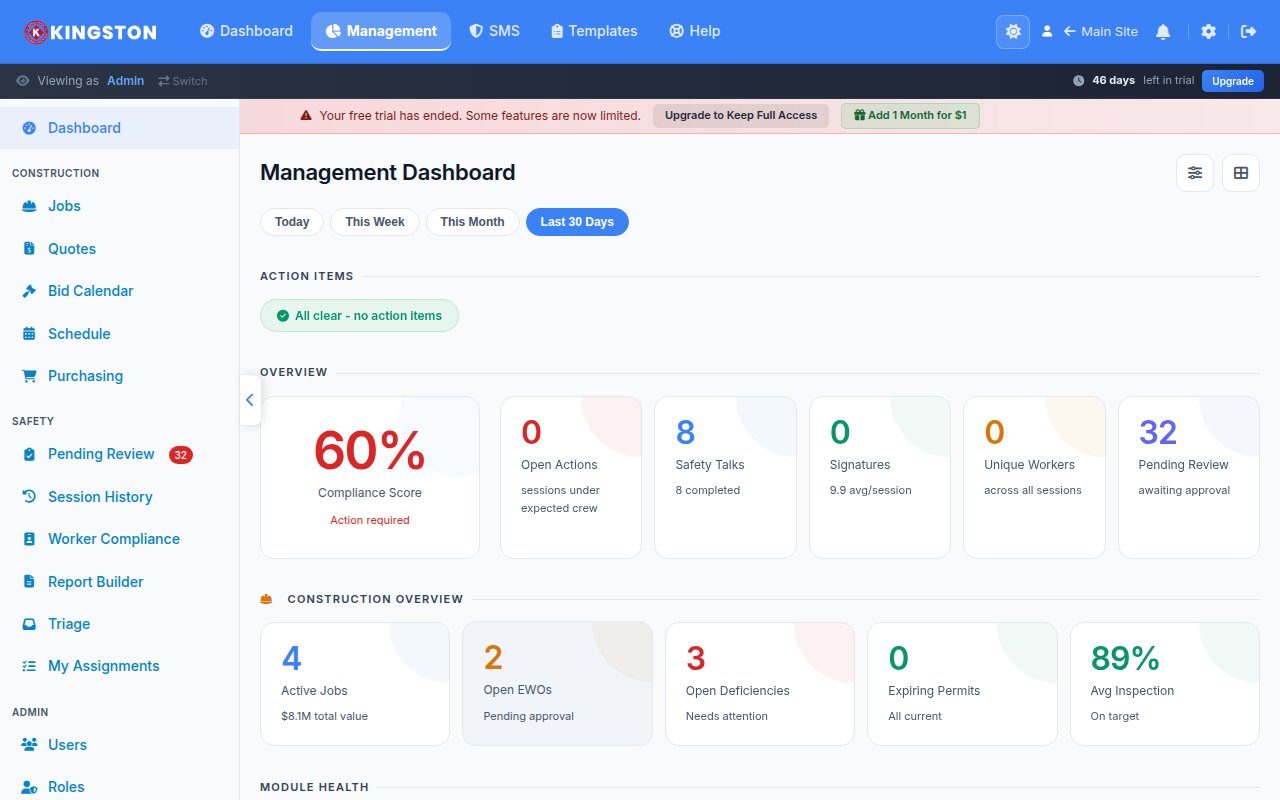
Make Safety Easy is the only platform on this list that combines safety compliance and construction project management in a single system. Inspections, toolbox talks, incidents, and training sit alongside job tracking, quoting, and project management -- all connected.
Best for: Small to mid-size construction, manufacturing, and industrial teams (5-100 workers) that manage both safety and operations.
Pricing: $39/user/month (safety) or $49/user/month (safety + construction). No minimums, no tiers, no setup fees. 14-day free trial, no credit card.
Pros:
- Only platform combining safety compliance with construction PM
- Built-in toolbox talks with content library and scheduling
- Transparent pricing with no setup fees or long-term contracts
Cons:
- Smaller template library than SafetyCulture (growing)
- Newer platform with a smaller user base
- Enterprise features (SSO, advanced API) still in development
3. SiteDocs -- Best for Documentation-Heavy Environments
SiteDocs focuses on safety documentation for construction and industrial operations. It excels at organizing forms, certifications, SDS sheets, and compliance records into a system that is always audit-ready.
Best for: Construction companies that prioritize documentation and compliance record-keeping.
Pricing: Custom quote only. Implementation fees reported by users.
Pros:
- Built specifically for construction safety workflows
- Strong toolbox talk module with content library
- Excellent certification and SDS document management
Cons:
- No published pricing -- requires demo and custom quote
- Setup/implementation fees add to total cost
- No construction project management features
4. Procore -- Best for Enterprise Construction
Procore is the dominant construction management platform for large general contractors. Its safety module is an add-on to the broader project management suite. If you are already on Procore for construction, adding safety keeps everything in one ecosystem.
Best for: Large construction companies (100+ employees) already using Procore for project management.
Pricing: Custom quote based on annual construction volume. Enterprise-level pricing -- typically $10,000+/year.
Pros:
- Integrates safety directly into construction project workflows
- Robust project management, scheduling, and document control
- Industry standard for large GCs -- widely recognized by clients and partners
Cons:
- Safety is an add-on, not the core product -- it shows in the feature depth
- Enterprise pricing puts it out of reach for small to mid-size teams
- Complex setup requiring dedicated implementation support
5. Safesite -- Best Free Option (Limited)
Safesite offers a free safety management app that covers basic inspections, hazard observations, and incident reporting. For very small teams or solo operators, it provides a digital starting point at no cost.
Best for: Solo contractors or very small teams wanting free basic safety tracking.
Pricing: Free tier available. Premium features require a paid plan.
Pros:
- Genuinely free tier with usable features
- Simple interface with minimal learning curve
- Good for teams transitioning from paper to digital
Cons:
- Limited feature depth on the free plan
- Reporting and analytics are basic
- Not built for teams larger than 10-15 workers
6. Intelex -- Best for Enterprise EHS Compliance
Intelex is a full enterprise EHS (Environment, Health, and Safety) platform used by large corporations in manufacturing, energy, and chemicals. It handles regulatory compliance, audit management, environmental tracking, and occupational health alongside safety.
Best for: Large enterprises (500+ employees) with complex EHS regulatory requirements.
Pricing: Enterprise custom pricing. Expect $50,000+/year for full implementations.
Pros:
- Comprehensive EHS coverage including environmental and occupational health
- Deep regulatory compliance mapping (OSHA, EPA, ISO 45001)
- Highly configurable for complex organizational structures
Cons:
- Enterprise pricing and implementation timelines (months, not days)
- Overkill for companies that just need safety inspections and toolbox talks
- Steep learning curve for admin users
7. EHS Insight -- Best for Mid-Market Regulatory Compliance
EHS Insight targets the mid-market -- companies too large for basic apps but too small for enterprise platforms like Intelex. It covers safety management, environmental compliance, and industrial hygiene with a focus on regulatory reporting.
Best for: Mid-size companies (50-500 employees) in regulated industries needing structured EHS compliance.
Pricing: Custom quote. Mid-market pricing, typically lower than Intelex but higher than point solutions.
Pros:
- Good balance of features and usability for mid-size teams
- Strong regulatory compliance and audit trail features
- Configurable workflows without enterprise-level complexity
Cons:
- No published pricing
- Limited construction-specific features
- Mobile experience lags behind SafetyCulture and Make Safety Easy
Full Comparison Table
| Platform | Inspections | Toolbox Talks | Incidents | Construction PM | Published Pricing | Free Trial |
|---|---|---|---|---|---|---|
| SafetyCulture | Yes | No | Yes | No | Yes | Free tier |
| Make Safety Easy | Yes | Yes | Yes | Yes | Yes | 14 days |
| SiteDocs | Yes | Yes | Yes | No | No | Demo only |
| Procore | Yes | Limited | Yes | Yes | No | Demo only |
| Safesite | Yes | No | Yes | No | Yes | Free tier |
| Intelex | Yes | Limited | Yes | No | No | Demo only |
| EHS Insight | Yes | Limited | Yes | No | No | Demo only |
How to Choose the Right Safety Management Software
By Team Size
- 1-5 people: Safesite (free) or Make Safety Easy ($39/user/month) to start small with room to grow
- 5-50 people: Make Safety Easy or SiteDocs -- purpose-built for this range without enterprise overhead
- 50-200 people: SafetyCulture, Make Safety Easy, or EHS Insight depending on industry and feature needs
- 200+ people: SafetyCulture, Procore, or Intelex for enterprise-scale operations
By Industry
- Construction: Make Safety Easy (safety + PM combined) or SiteDocs (safety documentation focus)
- Manufacturing: SafetyCulture (inspection-heavy) or Make Safety Easy (all-in-one)
- Energy/Chemicals: Intelex (full EHS compliance) or EHS Insight (mid-market regulatory)
- General industry: SafetyCulture (broad applicability) or Make Safety Easy (simplicity + value)
By Budget
- Free: Safesite
- Under $500/month: Make Safety Easy (up to 12 users on safety plan)
- $500-$2,000/month: SafetyCulture, SiteDocs, or Make Safety Easy
- $2,000+/month: Procore, Intelex, or EHS Insight
Try Make Safety Easy Free for 14 Days
No credit card. No sales call. Just safety and construction management that works from day one.
Frequently Asked Questions
What is the best safety management software for small construction companies?
For small construction companies (under 50 workers), Make Safety Easy offers the best combination of safety compliance and construction project management at a transparent price point. SiteDocs is a strong alternative if you only need safety documentation. Avoid enterprise platforms like Procore or Intelex -- you will pay for complexity you do not need.
Is there free safety management software that actually works?
Safesite offers a genuinely usable free tier for basic inspections and hazard tracking. SafetyCulture also has a free plan with limited inspections. For anything beyond basic use -- toolbox talks, incident management, compliance reporting -- you will need a paid platform. Make Safety Easy offers a 14-day free trial with full feature access and no credit card required.
Do I need separate software for safety and construction management?
Most teams use separate platforms -- one for safety (SafetyCulture, SiteDocs) and one for construction (Procore, Buildertrend). Make Safety Easy is the exception, combining both in a single platform starting at $49/user/month. Using one platform eliminates double entry and keeps safety data connected to project data.
How do I switch from my current safety software without losing data?
Most platforms support data export in CSV or PDF format. Make Safety Easy offers migration support during onboarding -- export your existing records and our team helps you import them. The transition typically takes less than a day for teams under 50 people.
Want a deeper dive? Read our SafetyCulture alternative review, SafetyCulture vs SiteDocs comparison, or SiteDocs alternative guide.
Free Safety Templates
While you evaluate software, grab our free professionally designed templates:
View all 10 free templates →