Updated April 2026
Procore is the industry standard for construction management -- if you are a large general contractor managing $10M+ in annual volume. For small contractors running crews of 5 to 50 people, Procore is like renting a 747 to fly across town. It will get you there, but the cost, complexity, and overhead make no sense for the trip.
The search for a Procore alternative usually starts with one of three frustrations: the price tag, the implementation timeline, or the realization that safety is treated as a secondary add-on rather than a core feature. If any of those sound familiar, this guide is for you.
Free Download: 5 Safe Work Procedures
Choose from 112 professionally written SWPs. No credit card required.
Get Free SWPsWhy Small Contractors Look for Procore Alternatives
Enterprise pricing that does not scale down
Procore does not publish pricing. Contracts are based on annual construction volume, and most small contractors report costs of $10,000 to $25,000+ per year. For a 15-person crew running $2M in annual projects, spending $10,000+ on software alone is a significant percentage of overhead.
Procore's value proposition makes sense at scale -- a 500-person GC managing $100M in projects absorbs the cost easily. But that same pricing model does not flex downward for small operations. You are paying for enterprise infrastructure whether you use it or not.
Complex setup and steep learning curve
Implementing Procore is not a weekend project. Most implementations take weeks to months, involve a dedicated project team, and may require consulting support. Configuration, user training, data migration, and workflow customization all take time that small contractors do not have.
Small teams need to be productive on day one. A platform that requires six weeks of setup before your first project goes live is a non-starter when you have jobs running right now.
Safety is an add-on, not a priority
Procore was built for construction project management. Safety was added later as a module, and it shows in the feature depth. Basic observations, incidents, and inspections are covered, but there is no dedicated toolbox talk content library, limited compliance dashboards, and no safety-specific analytics comparable to dedicated safety platforms.
For contractors who face daily safety requirements -- toolbox talks, site inspections, incident reporting, training records -- Procore's safety module often is not enough on its own. Many teams end up adding a separate safety tool on top, which means another subscription and another system to manage.
What to Look for in a Procore Alternative
Not every Procore alternative is built for small contractors. Some are just smaller versions of the same enterprise approach. Here is what actually matters:
- Published, predictable pricing: Know what you pay at 5 users, 15 users, and 50 users. No custom quotes, no annual volume calculations, no pricing surprises at renewal. Per-user pricing that scales linearly is the most predictable model for growing teams.
- Same-day setup: You should be running your first project the same day you sign up. Self-serve onboarding, intuitive interface, and no mandatory implementation consulting.
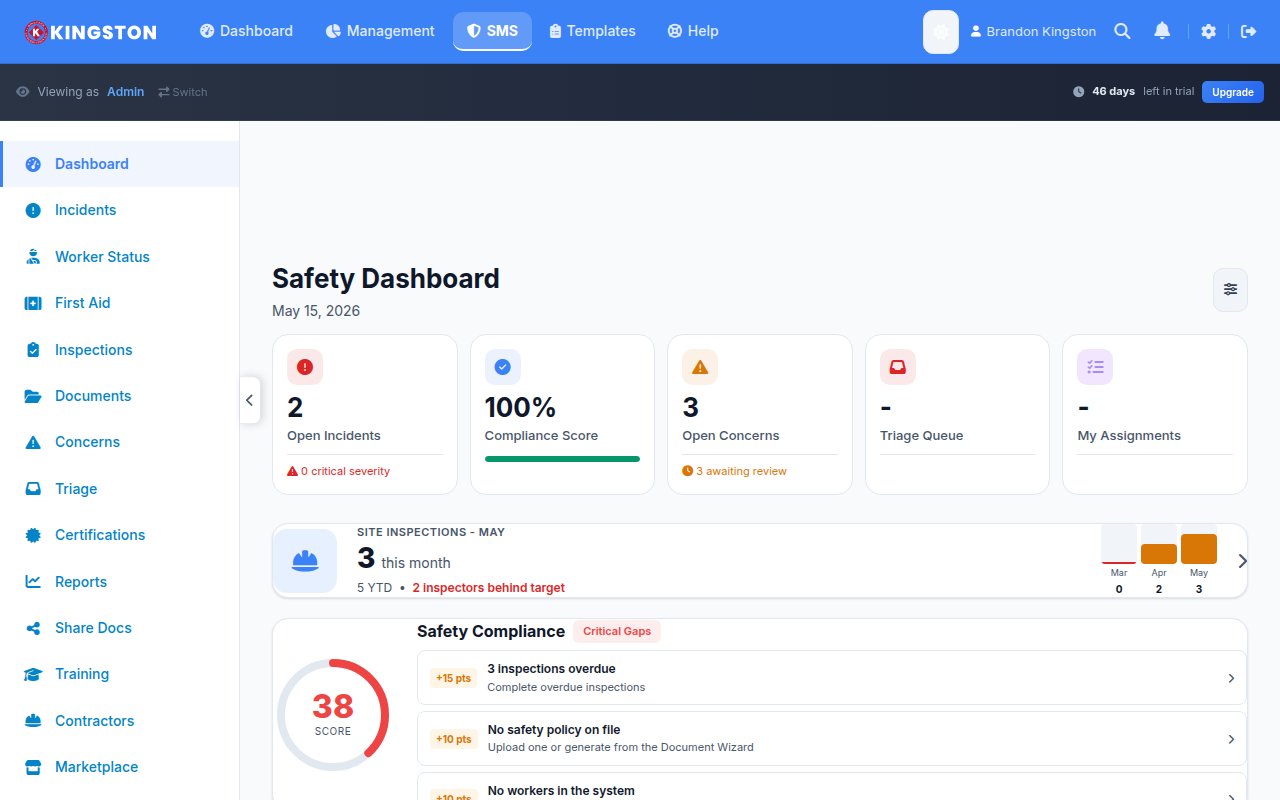
- Safety built in, not bolted on: Inspections, toolbox talks, incident reporting, training tracking, and compliance dashboards should be core features -- not add-on modules that cost extra.
- Construction management that fits small teams: Job tracking, quoting, project oversight, and field operations without the complexity of enterprise scheduling, submittals, and financial modules you will never use.
- Mobile-first field experience: Your crew is in the field, not at desks. The mobile experience should be the primary experience with full offline capability.
- No long-term contracts: Month-to-month flexibility. Construction is seasonal and project-based. Your software should accommodate that reality.
How Make Safety Easy Compares to Procore
| Feature | Procore | Make Safety Easy |
|---|---|---|
| Construction project management | Yes (enterprise-grade) | Yes (built for small teams) |
| Job tracking & quoting | Yes | Yes |
| Safety inspections | Yes (add-on module) | Yes (core feature) |
| Toolbox talks | Limited | Yes (content library + scheduling) |
| Incident reporting | Yes | Yes |
| Training tracking | Limited | Yes (included) |
| Compliance dashboard | Basic | Yes |
| Pricing | Custom quote ($10K+/yr) | $49/user/mo (safety + construction) |
| Setup time | Weeks to months | Same day |
| Free trial | Demo only | 14 days, no credit card |
| Minimum commitment | Annual contract | No minimums, month-to-month |
| Enterprise features (RFIs, submittals) | Yes | No (not needed for small teams) |
The honest trade-off
Make Safety Easy does not replace Procore for large GCs managing complex multi-million dollar projects with submittals, RFIs, and financial modules. It is not trying to. MSE is built for the small to mid-size contractor who needs construction project management and safety compliance in one affordable platform -- the team that Procore was never designed to serve at a reasonable price point.
Real Cost Comparison: 15-Person Crew
Here is what a 15-person small construction company actually pays:
| Scenario | Monthly Cost | Annual Cost |
|---|---|---|
| Procore (entry-level contract) | ~$833+ | $10,000+ |
| Procore + SafetyCulture (for better safety) | $833 + $360 = $1,193+ | $14,316+ |
| Make Safety Easy ($49/user/mo) | $735 | $8,820 |
MSE saves this team $1,200-$5,500+ per year while providing both safety and construction management in a single platform with same-day setup and no annual contract.
Who Make Safety Easy Is Built For
- Residential and light commercial contractors running crews of 5-50 who need project tracking and safety compliance without enterprise overhead
- Specialty subcontractors (electrical, plumbing, HVAC, framing) managing multiple jobs with small crews who cannot justify Procore's pricing
- Growing construction companies that have outgrown spreadsheets and paper but are not large enough for Procore
- Companies tired of running two systems -- one for construction, one for safety -- and paying two subscriptions for what should be one platform
- Teams in manufacturing, warehousing, and marine that need construction-adjacent project management with strong safety compliance tools
Try Make Safety Easy Free for 14 Days
No credit card. No sales call. Just safety and construction management that works from day one.
Frequently Asked Questions
Is Make Safety Easy as powerful as Procore for construction management?
No, and it is not trying to be. Procore is built for large GCs managing complex, multi-million dollar projects with submittals, RFIs, bidding, and advanced financials. Make Safety Easy covers project tracking, job management, quoting, and field operations -- the features small contractors actually use daily. If you need enterprise-grade construction management, Procore is the right tool. If you need practical project management with built-in safety, MSE is the better fit.
Can I switch from Procore to Make Safety Easy?
Yes. Export your project data from Procore and our support team will help you migrate during onboarding. The transition is straightforward for small teams. Keep in mind that enterprise features like submittals and RFIs are not available in MSE -- make sure your workflows do not depend on them before switching.
What if my business grows and I need Procore later?
That is a good problem to have. Make Safety Easy is built for teams of 5-100. If you grow to the point where you need enterprise features like submittals, complex financials, and multi-region project portfolios, migrating to Procore at that stage makes sense. MSE gets you running affordably now while you grow.
Does Make Safety Easy handle safety better than Procore?
Yes. Safety is a core module in MSE, not an add-on. You get built-in toolbox talks with a content library, detailed inspection templates, incident reporting with root cause analysis, training tracking, and compliance dashboards. Procore's safety module covers the basics but lacks the depth of a platform where safety is a primary focus.
Exploring other options? Read our SafetyCulture vs Procore comparison or see the best safety management software for 2026.
Free Safety Templates
While you evaluate software, grab our free professionally designed templates:
View all 10 free templates →