Updated May 2026
SafetyCulture (formerly iAuditor) has become one of the most recognized names in safety inspection software. Millions of inspections run through it every month. But recognition and fit are two different things, and a growing number of teams are looking for a SafetyCulture alternative that better matches how they actually work.
The reasons come up again and again in G2 and Capterra reviews: per-seat pricing that spirals as teams grow, a platform that has expanded far beyond its inspection roots into territory that feels bloated, and missing features -- like toolbox talks and construction project management -- that force teams to bolt on additional tools.
Free Download: 5 Safe Work Procedures
Choose from 112 professionally written SWPs. No credit card required.
Get Free SWPsIf you are evaluating alternatives to SafetyCulture, this guide breaks down what it does well, where it falls short, what to look for in a replacement, and how Make Safety Easy compares head-to-head.
What SafetyCulture Does Well
Credit where it is due. SafetyCulture earned its market position for real reasons:
- Inspection templates: Their template library is massive. Thousands of pre-built checklists covering nearly every industry and use case. Building custom inspections is straightforward.
- Mobile experience: The mobile app is polished and reliable. Field workers can complete inspections offline and sync when they reconnect.
- Integrations: SafetyCulture connects to a wide range of third-party tools -- SharePoint, Power BI, Slack, and more.
- Brand recognition: When you tell a client or auditor you use SafetyCulture, they know what it is. That carries weight in some industries.
- Analytics: Their reporting engine handles large data sets and provides useful trend analysis across locations.
For large enterprises running thousands of inspections across dozens of locations, SafetyCulture is a capable platform. The question is whether your team is one of those enterprises -- or whether you are paying enterprise prices for features you do not use.
Where SafetyCulture Falls Short
Per-seat pricing gets expensive fast
SafetyCulture charges per seat, and costs climb quickly once you move past the free tier. The Premium plan starts at $24/seat/month, and the Enterprise tier requires a custom quote. For a 20-person construction crew, you are looking at $480+/month just for safety inspections -- and that is before you add any construction management tools.
Review after review on G2 mentions pricing as the top complaint. Teams that started with a few seats find themselves locked into escalating costs as they grow.
No built-in toolbox talks
Toolbox talks are a daily requirement on most construction and industrial sites. SafetyCulture does not include a dedicated toolbox talk module. You can build a checklist that functions as a talk record, but that is a workaround, not a feature. There is no content library, no scheduling, no attendance tracking purpose-built for toolbox talks.
This means teams either run talks on paper (defeating the purpose of going digital) or purchase a separate toolbox talk tool.
Platform bloat
SafetyCulture has expanded into training, issue tracking, asset management, sensors, and more. For teams that just need safety inspections, incident reporting, and compliance tracking, the platform can feel overwhelming. Features you do not use still clutter the interface, and you are paying for capability you never touch.
No construction project management
If your team manages both safety and construction operations, SafetyCulture handles one side. You still need a separate platform for project management, job tracking, quoting, and field operations. That means two systems, two logins, two subscriptions, and data that never connects.
What to Look for in a SafetyCulture Alternative
Before you switch platforms, define what matters for your team:
- Transparent pricing: Know exactly what you pay before you sign. No custom quotes, no surprise add-ons, no pricing that changes at renewal.
- Safety + construction in one platform: If your team handles both, a single platform eliminates double entry and keeps everything connected.
- Built-in toolbox talks: Content library, scheduling, digital attendance, and automatic record-keeping. Not a workaround built on inspection templates.
- Mobile-first design: Your field workers live on their phones. The mobile experience should be the primary experience, not an afterthought.
- Same-day setup: You should not need a consultant, a 6-week onboarding program, or a dedicated implementation manager to start using the tool.
- Audit-ready reporting: Reports that are ready for regulators and clients without manual formatting or export gymnastics.
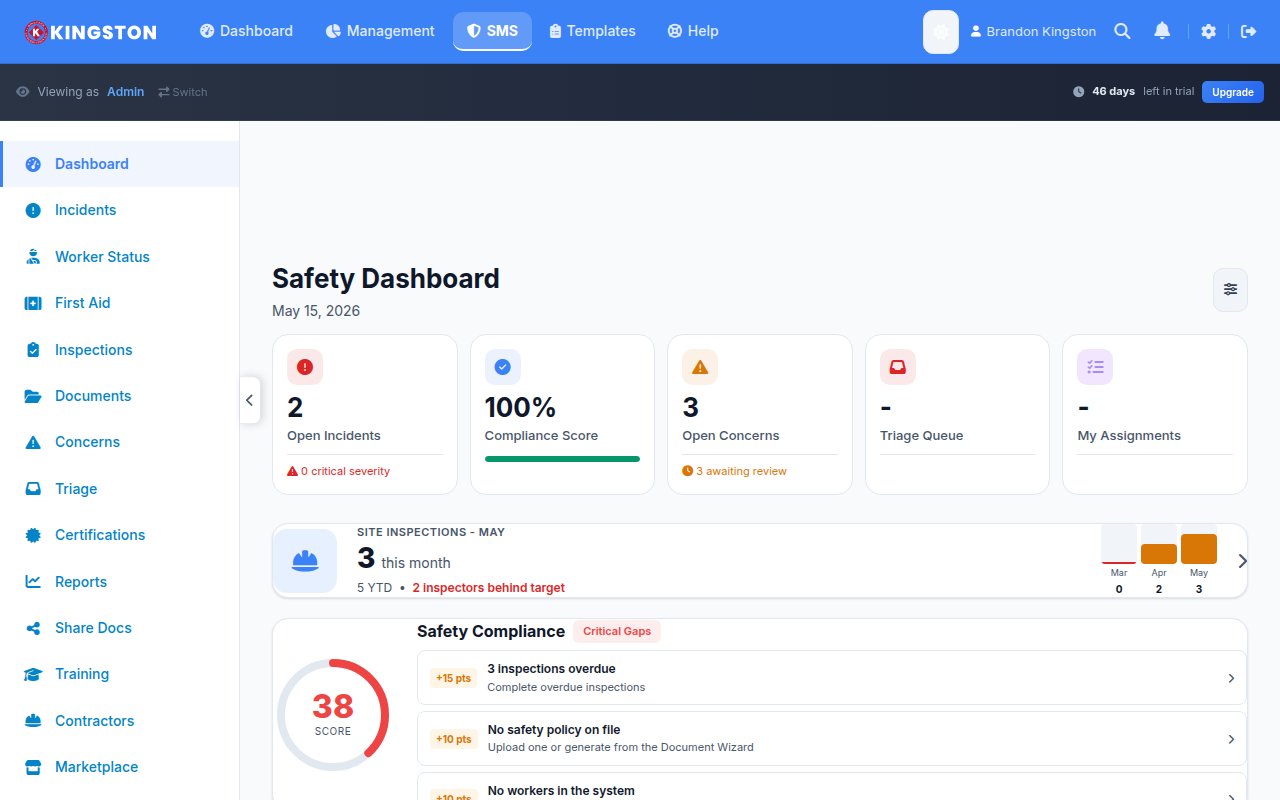
How Make Safety Easy Compares
| Feature | SafetyCulture | Make Safety Easy |
|---|---|---|
| Inspections & checklists | Yes | Yes |
| Toolbox talks (built-in) | No | Yes |
| Incident reporting | Yes | Yes |
| Training tracking | Yes (add-on) | Yes (included) |
| Construction project management | No | Yes ($49/user/mo plan) |
| Compliance dashboard | Yes | Yes |
| Pricing | $24+/seat/mo (Enterprise: custom quote) | $39/user/mo (safety) or $49/user/mo (safety + construction) |
| Free trial | Yes (limited free tier) | 14 days, no credit card |
| Minimum seats | None (free tier) / varies by plan | No minimums |
| Setup time | Self-serve or guided onboarding | Same day |
Who Make Safety Easy Is Built For
Make Safety Easy is not trying to be everything to everyone. It is built for a specific type of team:
- Small to mid-size construction companies (5-100 workers) that need safety compliance and construction project management in one place
- Manufacturing and warehousing operations that want inspections, toolbox talks, and incident tracking without enterprise complexity
- Marine and industrial operations with field-heavy crews who need a mobile-first tool that works offline
- Companies growing out of paper systems that want to go digital without a 6-month implementation project
If you are an enterprise with 500+ locations running 10,000 inspections a month, SafetyCulture is probably the right fit. If you are a 30-person construction company paying for seats your field workers barely use while running toolbox talks on clipboards, Make Safety Easy is worth a look.
Try Make Safety Easy Free for 14 Days
No credit card. No sales call. Just safety and construction management that works from day one.
Frequently Asked Questions
Can I import my SafetyCulture inspection templates into Make Safety Easy?
Yes. You can export your SafetyCulture templates and our support team will help you migrate them during onboarding. Most teams are fully transitioned within a day.
Does Make Safety Easy work offline like SafetyCulture does?
Yes. The mobile experience is built for field crews working at sites with limited connectivity. Inspections, toolbox talks, and incident reports sync automatically when you reconnect.
Is Make Safety Easy cheaper than SafetyCulture for a 20-person team?
At $39/user/month for the safety plan, a 20-person team pays $780/month and gets toolbox talks, inspections, incident reporting, and compliance tracking -- all included. SafetyCulture Premium at $24/seat/month costs $480/month but requires add-ons for training and lacks toolbox talks and construction PM entirely. When you factor in the tools MSE replaces, most teams save money overall.
What if I only need safety features and not construction management?
The $39/user/month plan covers all safety features -- inspections, toolbox talks, incidents, training, and compliance dashboards. Construction project management is available on the $49/user/month plan if you need it later. No pressure to upgrade.
Still comparing options? Read our SafetyCulture vs SiteDocs comparison or see the best safety management software for 2026.
Free Safety Templates
While you evaluate software, grab our free professionally designed templates:
View all 10 free templates →