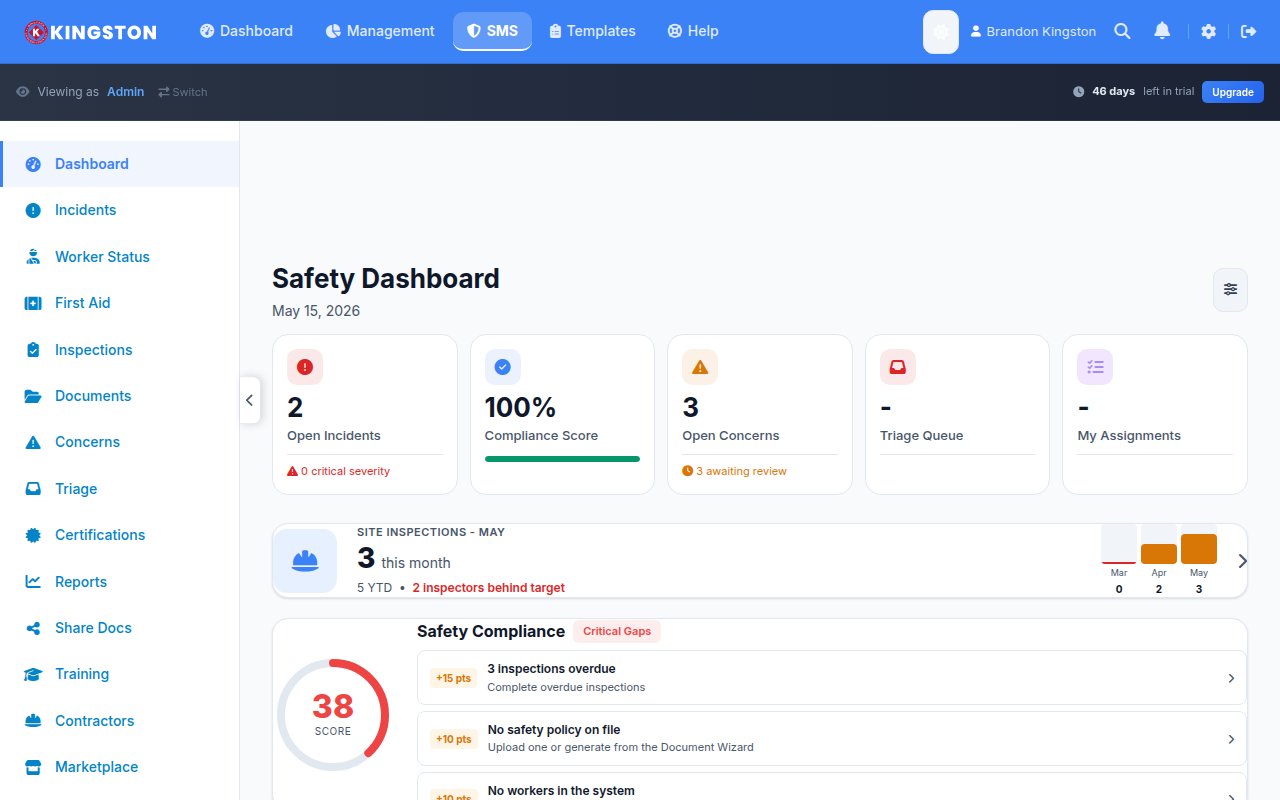
The best safety software for small business in 2026 combines affordable pricing, fast setup and the core compliance features your team needs without the enterprise bloat you do not. Small businesses face the same workplace hazards as large corporations, but they rarely have dedicated EHS departments or six-figure software budgets. The right platform bridges that gap by making professional safety management accessible to teams of every size.
Why Small Businesses Need Safety Software
Paper-based safety programs are a liability. They are difficult to audit, easy to lose and nearly impossible to analyze for trends. A single OSHA citation can cost a small business tens of thousands of dollars. Workers' compensation claims drain budgets and increase premiums. Beyond the financial risk, workplace injuries devastate small teams where every person matters.
Digital safety management software solves these problems by centralizing incident reporting, automating inspections, tracking corrective actions and providing the documentation you need when regulators or auditors come calling. The question for small businesses is not whether they need safety software but which platform fits their reality.
Free Download: 5 Safe Work Procedures
Choose from 112 professionally written SWPs. No credit card required.
Get Free SWPsWhat Small Businesses Should Look For
Small business safety software requirements differ from enterprise needs. Here is what actually matters:
- Transparent, affordable pricing: No surprise fees, no per-module charges, no mandatory annual contracts
- Fast onboarding: If it takes weeks to set up, your team will lose momentum and revert to paper
- Mobile-first design: Frontline workers need to report incidents and complete inspections from their phones
- Pre-built templates: Small teams cannot spend weeks building custom forms from scratch
- Simple reporting: Dashboards that show safety performance at a glance without requiring a data analyst
- Scalability: The platform should grow with your business without forcing a painful migration
Top Safety Software Options for Small Business (2026)
| Platform | Starting Price | Best For | Setup Time | SMB Fit |
|---|---|---|---|---|
| Make Safety Easy | Free tier; affordable paid plans | SMBs wanting full safety management | Same day | Excellent |
| SafetyCulture | Free tier; paid from ~$24/user/mo | Inspection-heavy teams | 1-3 days | Good for inspections only |
| Safety Champion | Quote-based | Australian/NZ businesses | 1-2 weeks | Moderate |
| EHS Insight | Quote-based | Mid-market organizations | Weeks to months | Limited for true SMBs |
| Safesite | Free tier; paid plans available | Construction teams | 1-3 days | Good for construction |
| 1st Reporting | Quote-based | Incident reporting focus | 1-2 weeks | Moderate |
Make Safety Easy: Built for Small Business
Make Safety Easy was designed from day one for small and mid-sized businesses. The platform covers incident reporting, toolbox talks, inspections, corrective action tracking and compliance dashboards in a single, integrated package. There are no modules to purchase separately and no consultants needed for setup.
The onboarding experience is particularly relevant for small businesses. Pre-built templates for common industries mean you can start running inspections and recording incidents on your first day. The mobile app works offline, which matters for job sites, warehouses and remote locations where connectivity is unreliable.
Common Mistakes Small Businesses Make
Choosing safety software is straightforward if you avoid these common pitfalls:
Buying Enterprise Software You Do Not Need
Platforms built for Fortune 500 companies come with features, complexity and price tags designed for large organizations. A 25-person roofing company does not need the same platform as a multinational chemical manufacturer. Enterprise software often requires dedicated administrators, lengthy implementations and ongoing customization that small teams simply cannot support.
Using Generic Project Management Tools
Some small businesses try to manage safety with Trello, Asana or Monday.com. While these are excellent project management tools, they lack safety-specific workflows, regulatory compliance features and the structured data formats that auditors and regulators expect.
Staying on Paper Too Long
Every month spent on paper-based safety management is a month of lost data, missed trends and increased liability. The transition to digital does not need to be painful. Modern platforms like Make Safety Easy are designed to replace paper processes with minimal disruption.
Ignoring Mobile Functionality
If your frontline workers cannot report an incident from their phones in under two minutes, they will not report it at all. Mobile-first design is not a nice-to-have feature for field teams. It is the difference between a safety program that works and one that exists only on paper.
How to Build a Business Case for Safety Software
If you need to justify the investment to ownership or a board, focus on these numbers:
- Direct cost savings: Reduced workers' compensation premiums from lower incident rates
- Regulatory avoidance: OSHA fines start at over $16,000 per serious violation in 2026
- Productivity gains: Automated workflows save 5-10 hours per week for safety coordinators
- Insurance benefits: Many insurers offer premium discounts for documented safety management programs
- Bid qualification: Increasingly, general contractors and clients require digital safety documentation
For detailed guidance on building a safety program from scratch, the Workplace Safety Program Basics guide is a practical starting point.
Getting Started
The best time to implement safety software is before you need it, not after an incident forces the issue. Start by identifying your top safety management pain points. Is it incident tracking? Inspection consistency? Training documentation? Regulatory compliance? Most small businesses need help with all of these, which is why an integrated platform beats cobbling together point solutions.
Make Safety Easy offers a free tier so you can test the platform with your actual team and workflows before committing to a paid plan. There is no credit card required and no sales pressure.
The Bottom Line
Small businesses deserve safety software built for the way they actually work: lean teams, tight budgets and no time for lengthy implementations. The right platform pays for itself through reduced incidents, lower insurance costs and the peace of mind that comes from knowing your safety program is documented and defensible.
See how it works for your team. Book a free demo or explore pricing designed for small businesses.
Ready to simplify your safety program?
Make Safety Easy helps teams run toolbox talks, inspections, incident reports and more - all from one platform.
Start Your Free TrialNo credit card required. 14-day free trial.